LifeLog Biorhythm — Your Biorhythms, Diary, Memos, and Schedule in One App
A life-log app for Android that charts your physical, emotional, and intellectual rhythms from your date of birth, and puts them next to the things you do every day: your diary, your to-do memos, and your calendar.
Open the app and the home screen tells you where your rhythms are today, what's on your schedule, and what's still left to do.
Get on Google PlayWho It's For
- People who notice ups and downs in their energy or mood
- Anyone who wants to plan for a work deadline or exam day with their condition in mind
- People who want to make keeping a diary or notes a daily habit
- Anyone who values self-management and self-care
Key Features
Three Biorhythms, Calculated from Your Date of Birth
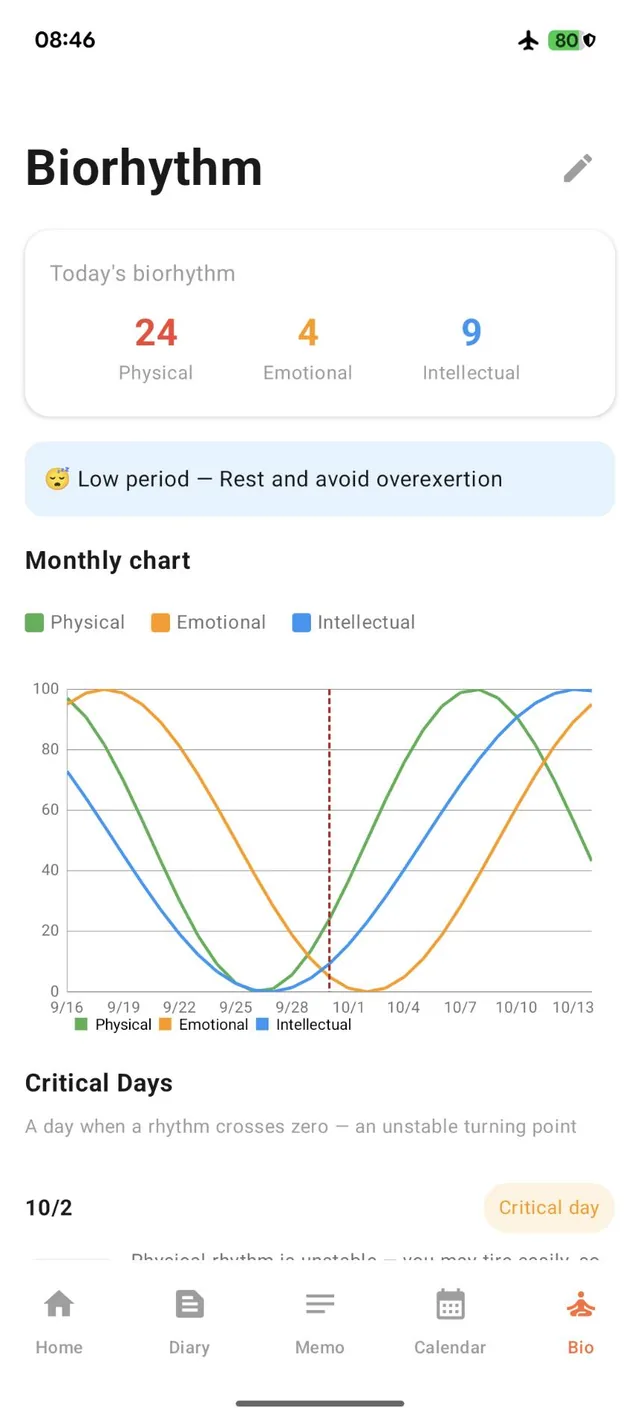
Enter your date of birth once and the app calculates three cycles automatically:
- Physical (23-day cycle) — stamina, athletic ability, and physical condition
- Emotional (28-day cycle) — mood, sensitivity, and communication
- Intellectual (33-day cycle) — concentration, judgment, and learning efficiency
Today's values are shown as numbers, and a monthly chart lets you see the trend of all three rhythms at a glance.
Know Your Critical Days in Advance
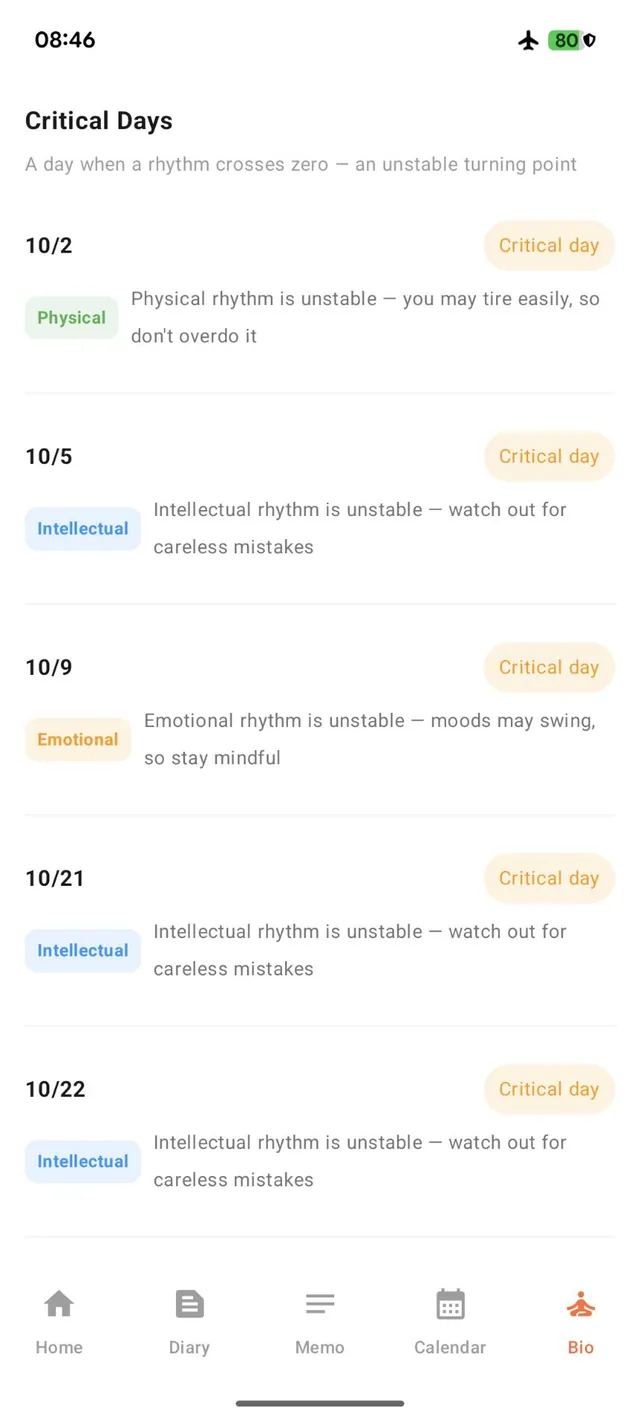
A critical day is a day when one of the rhythms crosses zero — a turning point where things tend to be unstable. The app lists upcoming critical days with which rhythm is changing and a short note, such as “you may tire easily, so don't overdo it” or “watch out for careless mistakes.”
Knowing them ahead of time is handy when you're choosing a date for an important appointment or event.
Everything for Today on the Home Screen
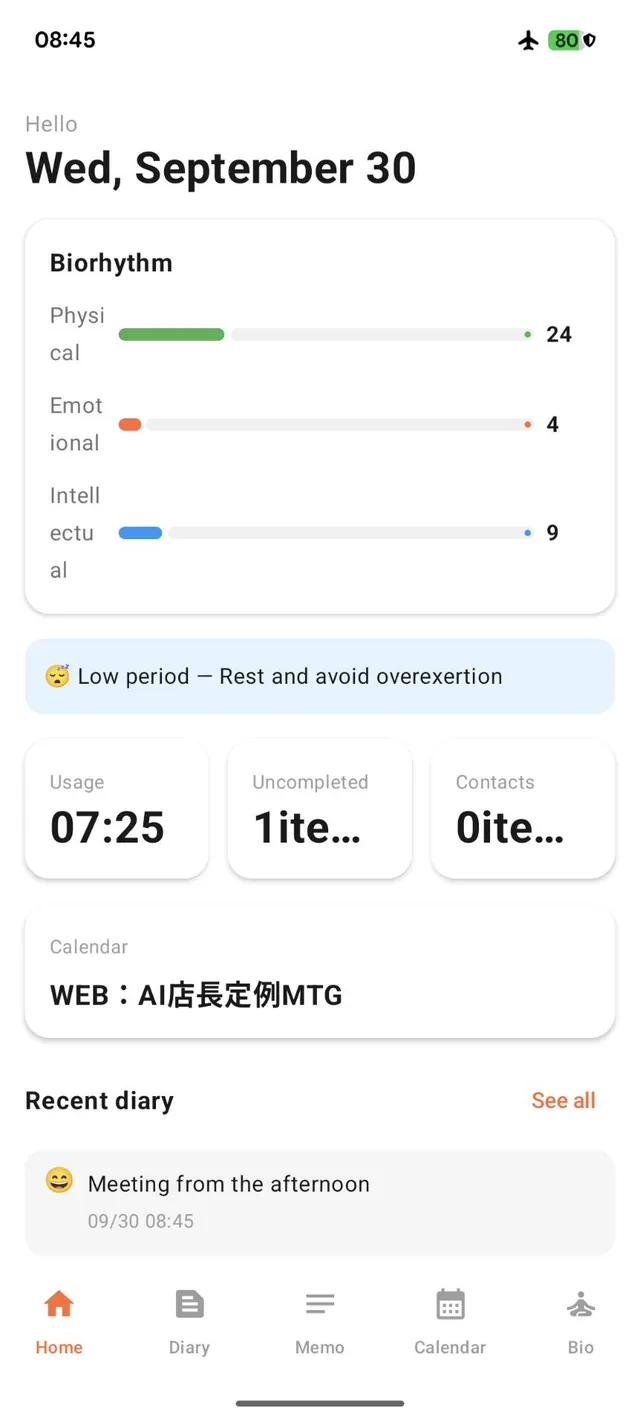
The home screen brings the day together: today's biorhythm status, statistics such as usage time, uncompleted memos, and number of contacts, your upcoming schedule, and your latest diary entries.
During a low period, it shows advice such as “Rest and avoid overexertion.”
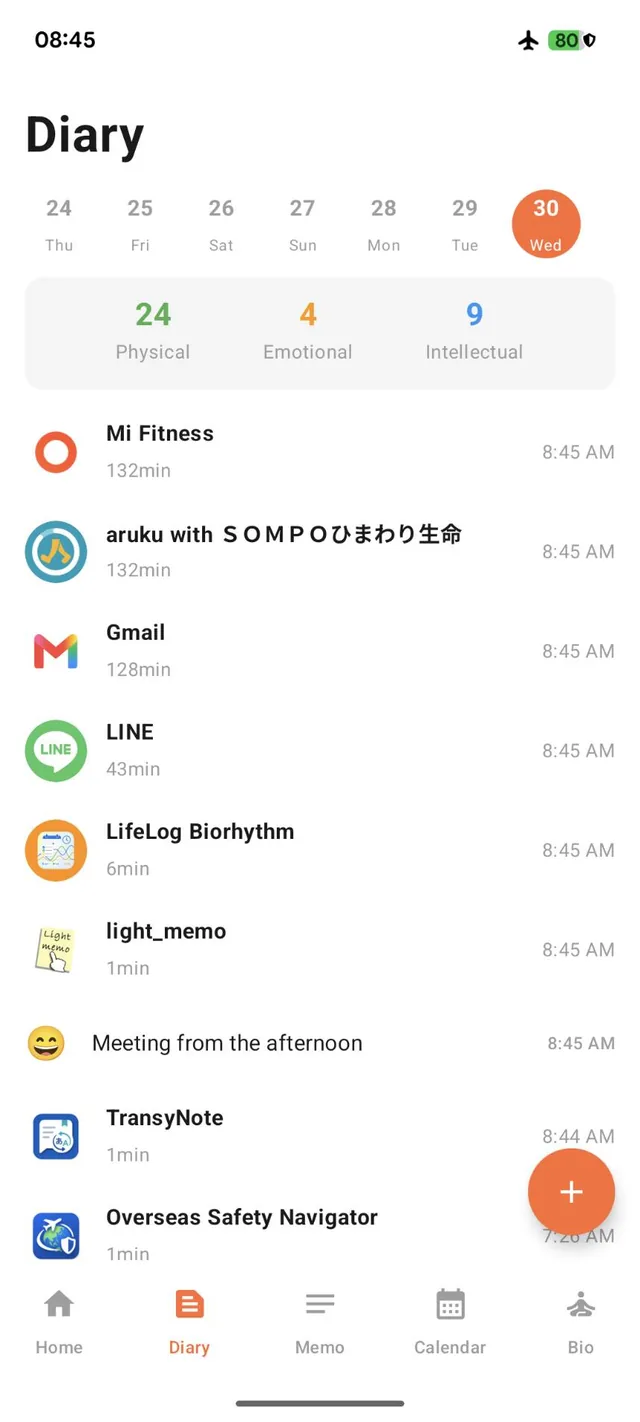
A Diary That Sits Next to Your Rhythms
Jot down what happened today and record your mood on a five-level scale: 😀 😊 😐 😟 😫.
Each day shows its biorhythm values alongside your entries, so you can look back and see how you felt against where your rhythms were. The weekly calendar at the top takes you straight to past days.
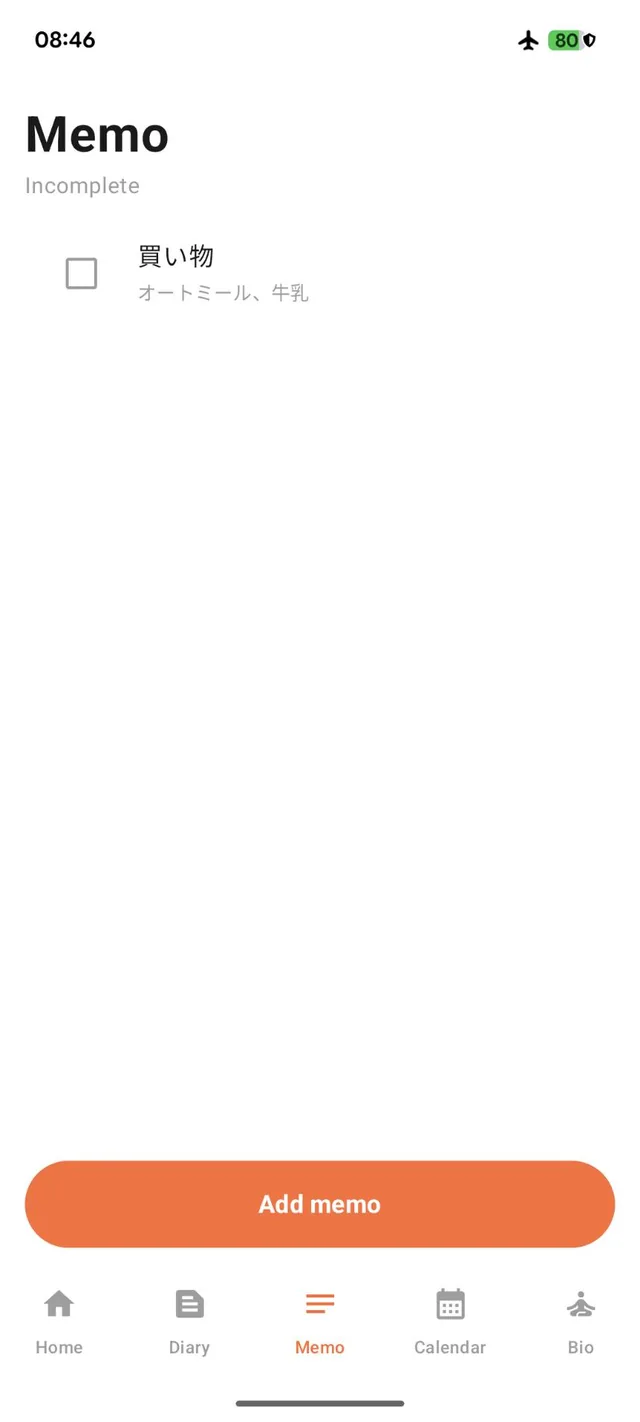
Simple Memos with Checkboxes
Each memo has a title and content — nothing more to set up. Tick the checkbox when a task is done.
The number of uncompleted memos appears on the home screen, so nothing slips through.
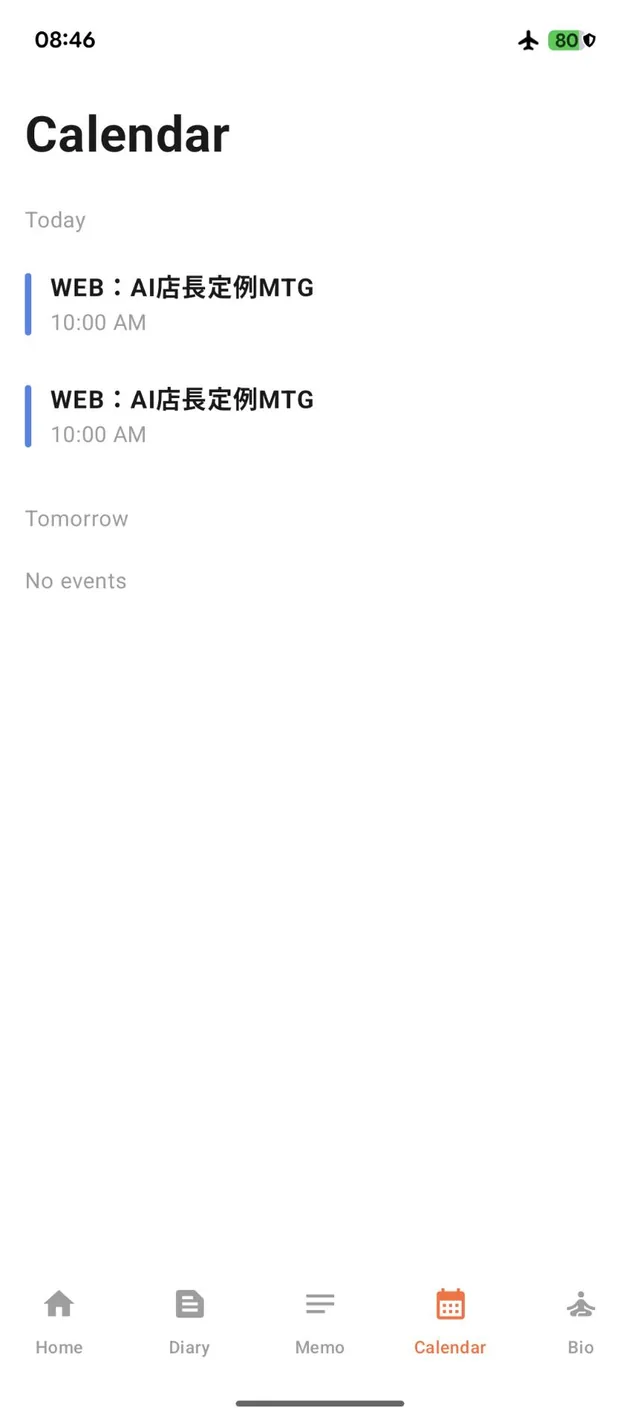
Today's and Tomorrow's Schedule
See today's and tomorrow's events in one list, and check them against your biorhythm status.
Plan demanding tasks for when your energy or concentration is at its peak, and keep lighter days for when it isn't.
How to Use
- Install “LifeLog Biorhythm” from Google Play.
- Enter your date of birth. Your three biorhythms are calculated automatically.
- Check the home screen each day for today's rhythms, schedule, and uncompleted memos.
- Write a diary entry and pick your mood; add memos for things to do.
- Open the Bio tab to see the monthly chart and upcoming critical days.
Frequently Asked Questions
How are the biorhythms calculated?
From your date of birth, using three fixed cycles: physical (23 days), emotional (28 days), and intellectual (33 days).
What is a critical day?
A day when one of the rhythms crosses zero — a turning point that is considered unstable. The app lists upcoming critical days for each rhythm.
Where is my data stored?
All data is stored on your device.
Is it free?
Yes. The app is free and contains ads. There are no in-app purchases.
Is it a medical or health app?
No. Biorhythms are a traditional way of looking back on your condition and planning your days, not a medical diagnosis. If you are concerned about your health, please consult a doctor.
Specifications
| Supported OS | Android 8.0 (API 26) or later |
|---|---|
| Languages | English, Japanese |
| Data storage | On your device |
| Price | Free (contains ads, no in-app purchases) |
Try LifeLog Biorhythm
Check today's rhythms, then plan your day around them.
Get on Google Play 𝕏 Share